STARTECH CDP2VGA Usb Vga Adapter Male Female
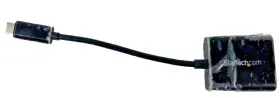
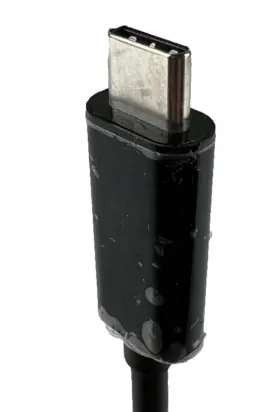
( Brand: Startech ), ( Manufacturer Part Number: CDP2VGA ), ( Type: Usb-to-vga Adapters ), ( Color: Black ), ( Features: Ce, Chromebook ), ( Rohs Standards. Vga: 15-pin, Sold As 1 Each. Connect Your Macbook, High-density D-sub Female Output. Thunderbolt 3 Port Compatible., Or Laptop With Usb Type-c To A Vga Monitor Or Projector. Hassle-f )
Review STARTECH Usb c To Vga Adapter Male Female
The StarTech.com CDP2VGA USB-C to VGA Adapter is a versatile and practical solution for connecting a USB-C enabled device to a traditional VGA monitor or projector. This adapter converts the USB-C only video output from your device into a standard VGA signal, allowing you to extend or mirror your display on a larger screen.
The CDP2VGA USB-C to VGA Adapter is constructed from durable materials, ensuring a reliable and stable connection. Its compact design makes it easy to carry in a laptop bag or travel case, making it an ideal accessory for Business professionals, students, or anyone seeking to present content on a VGA display.
The adapter features a USB-C to USB-A cable integrated into its design, which allows for the transfer of both data and power. This means that you can charge your USB-C laptop or tablet while connecting it to a VGA display. The male USB-C connector plugs into your device, while the female VGA connector is used to connect the adapter to the VGA monitor or projector.
This adapter supports resolutions of up to 1600 x 1200 60Hz, ensuring crisp and clear images for your presentations, spreadsheets, or gaming sessions. It also offers several modes, including 1:1, 1:1 Stretch, and 1:1 with Overscan, giving you the flexibility to customize the display output according to your preferences.
The StarTech.com CDP2VGA USB-C to VGA Adapter comes backed by a StarTech.com 2-year warranty and free lifetime technical support. This highly functional and portable adapter is the perfect bridge between modern USB-C devices and older VGA displays.
StarTech.com CDP2VGA USB-C to VGA Adapter: An In-depth Analysis
The StarTech.com CDP2VGA USB-C to VGA Adapter is a useful solution for connecting older VGA monitors or projectors with newer USB-C laptops or desktop computers. In this analysis, we will discuss the advantages and disadvantages of this adapter to help you make an informed decision concerning its purchase.
Advantages:1. Versatility: This adapter allows users to connect their VGA devices to a USB-C port, making it an ideal solution for those with VGA displays and a USB-C device, without requiring any additional power source or cables.
2. Easy setup: Simply plug the adapter into your USB-C port and connect the VGA cable to the other end. This straightforward connection eliminates the need for complicated setup processes.
3. Compact design: The compact design of the StarTech.com CDP2VGA adapter makes it a perfect travel companion for those students, professionals, or frequent travelers who may need to connect their devices to VGA displays on the go.
Disadvantages:1. Limited resolution support: This adapter can support resolutions up to 1920x1200 max at 60Hz, which may not meet the demands of high-resolution content. Therefore, it may not be suitable for those requiring a 4K output or higher resolution capabilities.
2. Cost: Compatibility with older display technologies (VGA) often comes at a premium, and the StarTech.com CDP2VGA USB-C to VGA Adapter is no exception. Users might find it more expensive compared to other adapters with similar functionality.
Conclusion:The StarTech.com CDP2VGA USB-C to VGA Adapter is a valuable tool for users who need to connect older VGA devices with new USB-C ports. It offers ease of use, versatility, and a compact design. However, it may not support high resolutions or come at an affordable price. Therefore, carefully consider your specific needs before making a purchase.
Recommendation:If you frequently need to connect a VGA monitor or projector to a USB-C laptop or desktop computer and require a simple and reliable solution, the StarTech.com CDP2VGA USB-C to VGA Adapter is an excellent choice for you. Consider this adapter when the compatibility with lower resolutions is satisfactory for your use case. However, for those seeking higher resolution capabilities, it may be worth investigating alternative solutions.
Details:
The adapter has never been used.
part #: cdp2vga prices
- $6.00-$83.70
specifications monitormondo:
- brand: Startech
- manufacturer part number: CDP2VGA
- type: Usb-to-vga Adapters
- color: Black
- features: Ce, Chromebook
- rohs standards. vga: 15-pin, Sold As 1 Each. Connect Your Macbook, High-density D-sub Female Output. Thunderbolt 3 Port Compatible., Or Laptop With Usb Type-c To A Vga Monitor Or Projector. Hassle-f
returns monitormondo:
- policy: No Returns
general monitormondo:
- Computers/Tablet's Networking > Computer Cables Connectors > Monitor/AV Cables Adapters
- condition: Used
shipping monitormondo:
- transit: 7-12 Days
- carrier: USPS
- type: Fixed
- cost: $0.00
- service: USPS Ground Advantage
- class: Standard
seller monitormondo:
- city: Grand Rapids, Michigan
- rating: 100.0%
- # reviews: 4509
offer monitormondo:
- best offers: True
- started: August 29, 2024
- sold: 0
- options: Ship-to-home
- availability: In Stock
- quantity: 1
payments monitormondo:
- wallet: Google-pay
- other
- credit card: Discover
Startech CDP2VGA Is Similar To:
- Startech Usb32vgav Set Of 2 Usb To Vga Display Adapter Black (63.1% similar) Set of 2 - Startech usb 32 VGA usb to vga display adapter black...(July 21st, 2024)
- Startech Mstcdp123hd Startech.com Usb C To Hdmi Multi-monitor Adapter 3-port Mst Hub Multi (45.4% similar) The adapter is designed to work with usb 3.0 and supports a variety of devices, including laptops, desktops, tablet's. Its compact design and oz unit type make it easy to carry around, making perfect for on-the-go use. With its 3-PORT MST hub, you can easily connect your usb-c device to three...(July 21st, 2024)
- Startech Hd2vgae Hdmi To Vga Adapter Converter With 6 Ft Cable Free Ship (61.3% similar) HDMI cable and supports a range of devices, making it versatile option for anyone in need reliable connection. This Startech HDMI to vga adapter converter HD2VGAE is the perfect solution for those who need connect their devices with high-quality cables. The black color and sleek design make it...(July 22nd, 2024)
- Startech Dp2hdmi2 Displayport Male To Hdmi Female Video Adapter Converter (47.5% similar) With its display port male connector and HDMI standard female connector, you can easily connect the two devices enjoy a seamless display experience. This display port adapter is perfect for those who want to enjoy high-quality video output without the need a bulky and expensive setup. The adapter...(July 23rd, 2024)
- Startech Cdp2hd Startech.com Usb Type C To Hdmi Adapter Type-c Video Converter Used (50.7% similar) The adapter is designed with HDMI standard female connector and a usb type c male connector, making it easy to connect your devices monitor or TV. The black a/v cable is durable and provides a stable connection, ensuring that you can enjoy your videos or games without any interruptions...(July 23rd, 2024)
- Startech Cdp2dvi Startech.com C To Displayport Adapter Dongle Monitor (55.9% similar) Pre-owned but in great condition...(July 30th, 2024)
- Startech 4619020123 Lot Of 3 Display Port To Dvi Adapter Dvi-d Model Dp2dvis (44.8% similar) With its sleek black design and flat cable, this adapter offers a high-quality connection that is sure to impress. Cable length , making it easy to connect your device from a distance.the adapter features display port male connector on one end and div female the other, allowing for secure...(July 31st, 2024)
- Startech.com Dp2vgdvhd Startech.com Dp To Dvi Vga Hdmi Adapter (54.1% similar) ...(August 9th, 2024)
- Startech St122l 2 Port Vga Video Splitter (52.2% similar) Condition: pre-owned. Fast standard shipping is free. Startech 2 port vga video splutter - ST122L. 100% satisfaction is guaranteed. Item comes with a 60-DAY warranty...(August 13th, 2024)
- Startech Mdp2hdw Mini Displayport To Hdmi Video Adapter Converter White (50.8% similar) The adapter comes with a mini display port 1.2 digital audio/video male connector and an HDMI 1.4 female connector, making it easy to connect variety of devices. This display port adapter is ideal for those who want to connect their devices without any fuss. The 5 cable length ensures that you can...(August 14th, 2024)
- Startech Mstcdp123dp Multi Stream Transport Hub Usb-c To 3 Displayport Monitor Splitter (40.6% similar) Startech multi stream transport hub usb-c to 3 display port - monitor splutter in good condition tested and working all accessories included box...(August 20th, 2024)

5 offers $6.00–$83.70 USD
- New. Offer #1 priced at $6.00 + $5.48 delivery = $11.48* total. With its flat cable design and powered features, this unit provides a simple and efficient solution for expanding your display options on the go.+$5.48 shipping
- Used. Offer #2 priced at $14.50 + $5.25 delivery = $19.75* total. The adapter features a VGA/SVGA D-Sub female connector for easy connection to your monitor or projector The StarTech USB-C to VGA DisplayPort Adapter is a versatile electronic adapter designed to connect your computer's USB-C port to a VGA display.+$5.25 shipping
- New. Offer #3 priced at $83.70 + $0.00 delivery = $83.70* total. Product Details.FREE SHIPPING
- New. Offer #4 priced at $23.00 + $0.00 delivery = $23.00* total. FREE SHIPPING
- New. Offer #5 priced at $15.57 + $0.00 delivery = $15.57* total. Shipped with USPS Ground Advantage. StarTech USB-C to VGA Adapter - Black .FREE SHIPPING